Description
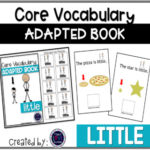
This editable adapted book gives you the ability to add your own symbols that are used on your student’s AAC device or communication board. All you need to do is upload the image file into the PDF once you open it and then print! Here is the YOUTUBE TUTORIAL! You can then clear out that image and put in a different one if you have students that use different symbols on their devices or communication boards but, all students can have the books with the symbols they need!
Each book is ten pages long and is completely errorless which means that the student can only get the correct answer when moving the pieces to reinforce the word and increase repetitions of use. These books can be read to your students in order to model the language and have them utilize with a core board, communication device, or other forms of AAC. There are interactive pieces of the core vocabulary words that you or a student can manipulate as the story is read.
These books can be used in whole groups, small groups, and individual student use. They include core vocabulary books and sight words that can be used in both special education and regular education classrooms. Most of these words are functional and are high frequency words.
Want to know more about how I teach core vocabulary in my classroom?
Read this blog post of my Core Vocabulary Daily Lesson Plans!
If you want to see the set of core vocabulary books that I have already made using the symbol set from Smarty Symbols.
Core Vocabulary Adapted Book Bundle
If you want to see what words will be included in this bundle check out this FREEBIE chart that I created.
Core Vocabulary Alphabet Chart
Follow me in many more ways to find out about new products and things happening in my classroom!
**BLOG**
**INSTAGRAM**
**PINTEREST**
**FACEBOOK**
Email me: Jenn@teachloveautism.com
Related
Only logged in customers who have purchased this product may leave a review.
QUESTIONS AND ANSWERS
Have a question about this resource?
Log in to your account to ask. I'll email you when it's answered.
LOG IN TO ASK
1 question · Most recent first
Q
I can't get the image insert tool to work on my Mac. What should I try?
Asked by Elizabeth R. · Aug 23, 2026
A
This almost always comes down to which program opens the PDF. Macs open PDFs in Preview by default, and Preview doesn't support the image tool. Here's the fix:
1. Download the free Adobe Acrobat Reader app from Adobe's website.
2. Find the PDF on your computer, but don't open it yet.
3. Right-click it, choose Open With, and pick Adobe Acrobat Reader.
If you've been opening the file in Safari or Chrome, that causes the same problem, since browsers use their own PDF viewer. Download the file and open it right in Acrobat. Still stuck? Email support@teachloveautism.com.
Answered by Jenn, Teach Love Autism · Aug 24, 2026











Reviews
There are no reviews yet.