🧠 Morning Meeting Google Slides | Digital Calendar & Daily Review Activities
Are you looking for a digital way to run your morning meetings or calendar time that works seamlessly across different teaching environments? Whether you’re in the classroom, teaching virtually, or using a hybrid model, this Morning Meeting Google Slides resource is designed to meet the needs of today’s educators and learners. It brings consistency and structure to your daily routine while keeping students engaged through interactive digital tools.
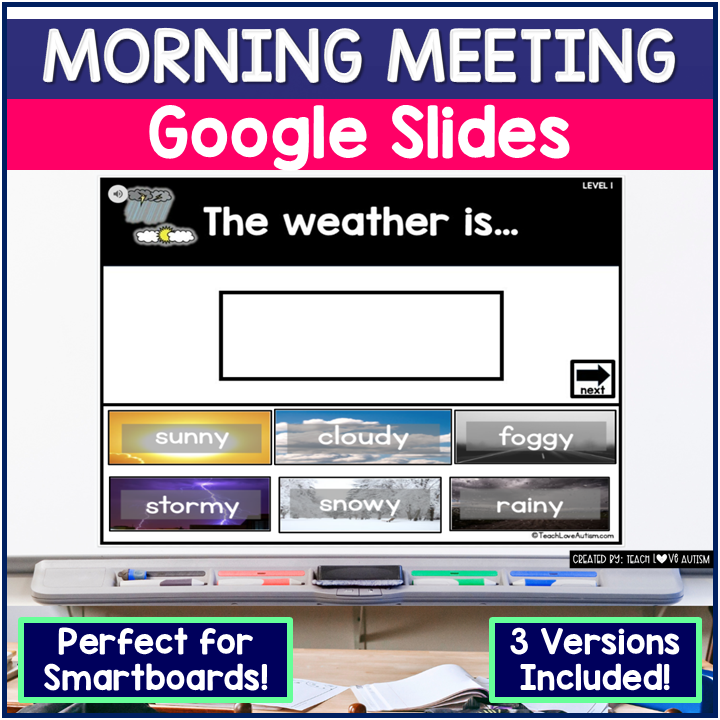
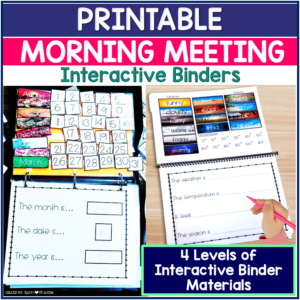
This resource includes four unique formats, allowing for differentiated instruction and flexible use. The Google Slides presentation is ideal for whole-group instruction on a smartboard or screen share, while the drag-and-drop and type-in-the-answer slides provide opportunities for student-led practice. For classrooms with limited internet access, the interactive PDF option allows students to participate in morning routines offline without losing engagement or instructional quality.
Whether you’re using Google Classroom, Seesaw, or another digital platform, this morning meeting resource helps build routine, reinforces calendar skills, and provides visual support through real photographs. Students can interact with daily prompts about the date, weather, temperature, and more, all while practicing essential skills in a way that feels fun and age-appropriate. It’s a reliable and versatile tool that can adapt to whatever your teaching day looks like.
✅ What’s Included in the Morning Meeting Google Slides:
🖥 Morning Meeting Google Slides Presentation (Clickable in Presentation Mode)
🧩 Level 1 Drag-and-Drop Google Slides Activity
✏️ Level 2 Type-in-the-Blank Google Slides Activity (with word bank support)
Looking for a BOOM Card version of this product?? —-> CLICK HERE!
Whether you’re teaching in-person or remotely, this morning meeting resource helps you guide students through calendar routines, weather, temperature, seasons, and more!
🔄 Ways to Use This Resource:
Project for whole-group instruction on a smartboard or projector
Assign in Google Classroom or Schoology for independent digital learning
Use offline with the interactive PDF version
Perfect for 1:1 classrooms, hybrid learning, or homeschooling
📅 Topics Covered in the Morning Meeting Google Slides:
Yesterday was / Today is / Tomorrow will be
The month, date, and year
Interactive calendar with clickable dates
The weather and temperature
How it feels outside
The current season
All content features real-life photographs, making it engaging and age-appropriate for young learners while reducing distractions.
💡 Why Teachers Love the Morning Meeting Google Slides:
Multiple formats = differentiated digital access
Real photographs support comprehension
Easily integrates into digital morning meetings
Supports both online and offline instruction
Clean, black-and-white design option to save on printing
Some slides look the same. Am I supposed to delete the ones I don't need?
Asked by Lainie S. · Aug 24, 2022
A
Some slides are similar, like "Today is" and "Tomorrow will be." Since you're working in your own copy, delete any slides you won't use.
Answered by Jenn, Teach Love Autism · Aug 25, 2022
Q
I can't find the link to copy this to Google Drive.
Asked by Megan A. · Aug 18, 2022
A
Scroll past the instructions. The link is on page 4 of the PDF. Still stuck? Email support@teachloveautism.com.
Answered by Jenn, Teach Love Autism · Aug 19, 2022
Q
I get a 'destination path is too long' error with the Google Slides. What do I do?
Asked by Rocio M. · Aug 10, 2022
A
If your computer says the file name or path is too long, right-click the ZIP folder, rename it to something short like "schedule," and then extract it. That fixes it almost every time. The files were also reorganized to make the paths shorter, so download a fresh copy (log in at teachloveautism.com, go to My Account, then Downloads).
Answered by Jenn, Teach Love Autism · Aug 11, 2022
Q
My student on a Chromebook can't drag and drop. Any ideas?
Asked by Kelli S. · Sep 14, 2020
A
If you shared your screen, it should work for everyone. If you shared a copy with your student, change the sharing setting so it isn't view-only.
Answered by Jenn, Teach Love Autism · Sep 15, 2020
Q
Why can't I drag and drop in presentation mode?
Asked by Katie C. · Aug 18, 2020
A
There are three ways to use this in Google Slides. The click version works in presentation mode (it's also in the PDF). The drag-and-drop and typing versions only work in edit mode. That's a Google Slides limit.
Answered by Jenn, Teach Love Autism · Aug 19, 2020
Q
Can I edit the text? I teach in Spanish.
Asked by A teacher · Aug 15, 2020
A
No, the text isn't editable.
Answered by Jenn, Teach Love Autism · Aug 16, 2020
Q
What's included?
Asked by Mary V. · Aug 5, 2020
A
Two leveled Google Slides presentations of about 25 slides each, plus a linked interactive PDF of over 300 pages.
Answered by Jenn, Teach Love Autism · Aug 6, 2020
Q
What happens if a student picks the wrong answer?
Asked by Brandy D. · Mar 26, 2020
A
It won't mark the answer wrong. It goes to the slide for the choice they clicked, and they'll need to go back to the choice slide.
Answered by Jenn, Teach Love Autism · Mar 27, 2020
Q
Can I edit this?
Asked by Taylor H. · Aug 7, 2019
A
No, this product isn't editable. Ideas for making it work better in your room? Email support@teachloveautism.com.









Reviews
There are no reviews yet.